
Audit Overview
Your store's untapped revenue potential — and how to unlock it
Why We Created This Audit
We analyzed https://alarajewelry.com the same way we've audited 350+ e-commerce stores — looking for the specific gaps between your current experience and what top-performing Jewelry & Accessories stores deliver. Every finding in this report is a revenue opportunity backed by industry data and competitive benchmarks.
What We Analyzed
- UX & Conversion Design14 findings
- Performance & Speedvs 3 competitors
- Technology & App StackPlatform + 5 apps
- Industry BenchmarksJewelry & Accessories
Pages Analyzed
- Homepage4 findings
- Collection Pages4 findings
- Product Pages (PDP)4 findings
- Cart & Checkout2 findings
 This audit was prepared by Growisto — a CRO-led Website development team behind 167% conversion growth for Atomberg, 46% CR lift for TyresNmore, and 350+ e-commerce projects.
UX & Conversion Findings
Page-by-page analysis with visual comparisons against top Jewelry & Accessories stores
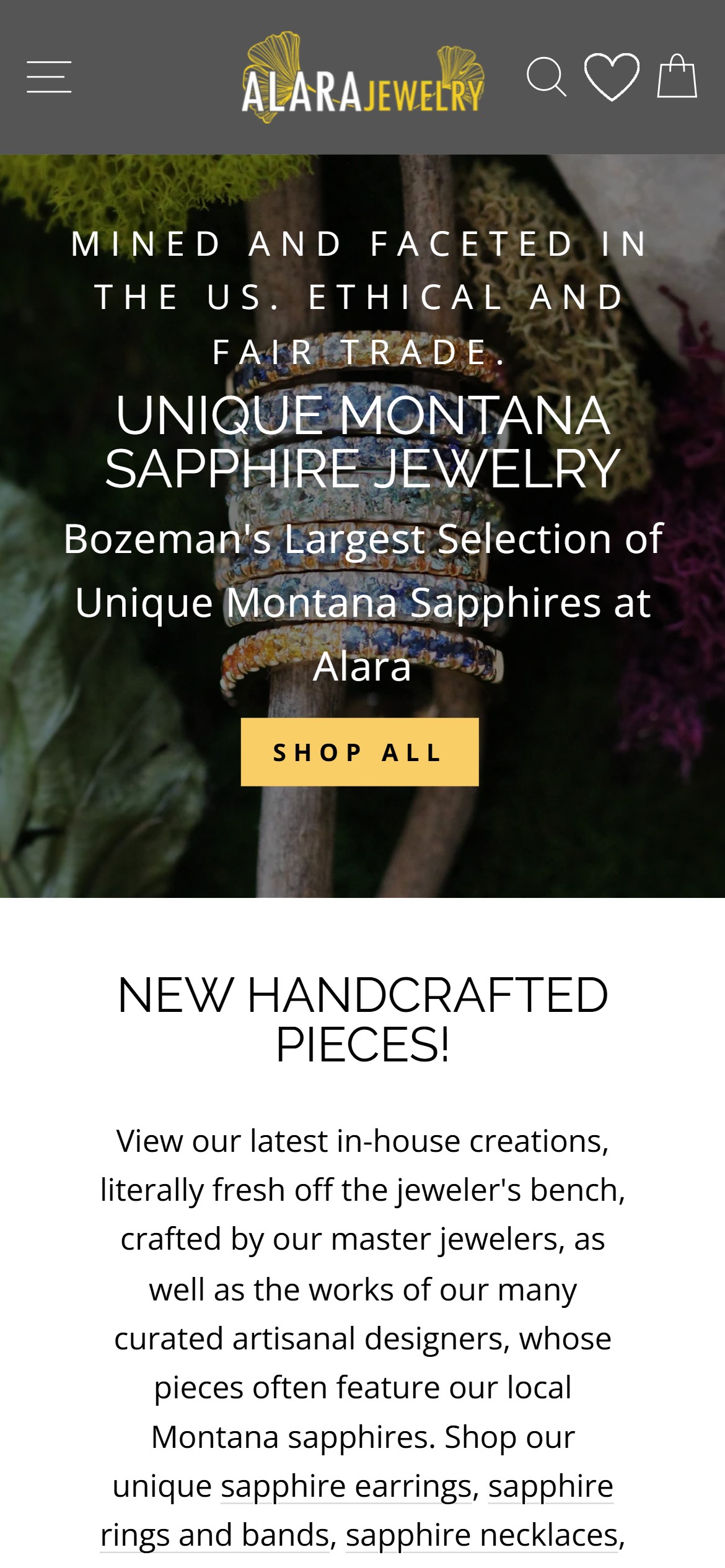
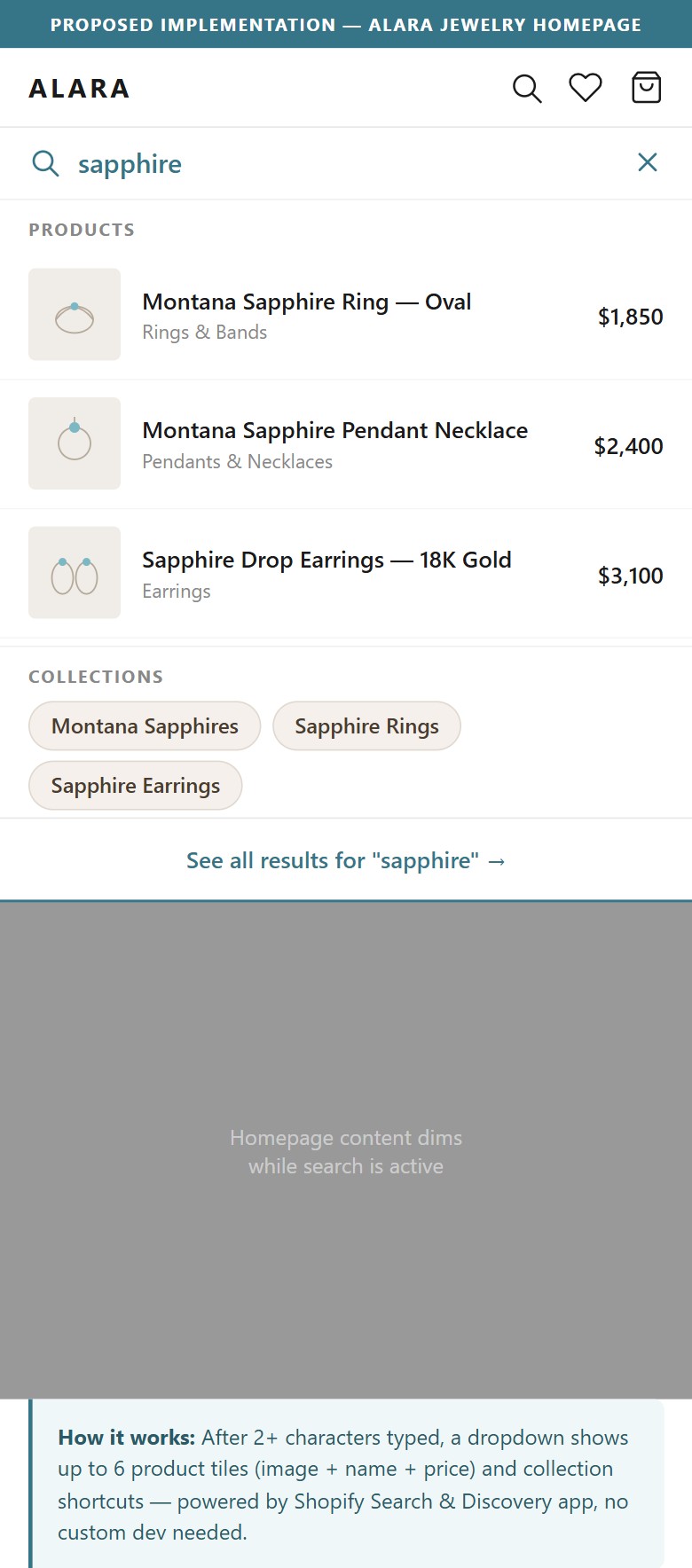
- Alara's homepage hero uses beautiful editorial copy ('MINED AND FACETED IN THE US. ETHICAL AND FAIR TRADE.') but treats sustainability + Montana heritage as brand poetry, not scannable trust proof.
- Alara's real competitive edge — ethical stone sourcing, recycled precious metals, GIA-trained gemologists, 20+ years in Bozeman — is buried in body text and the footer. First-time visitors must scroll and read to discover it.
- Mejuri quantifies its sustainability positioning with a '94% Recycled Gold' badge that renders as instant trust. Alara's story is stronger (single-origin Montana sapphires, GIA credentials) but less scannable.
- For $1,000+ pieces, a first-time shopper needs 2–3 credible reasons to trust the brand before they'll even browse — a quantified trust strip above the fold answers those before the objection forms.
- The mockup renders CSS with 50% opacity on decorative overlays and standard sRGB white (255,255,255) for card backgrounds — these are visual-density values, not audit claims.
- Add a 4-badge trust strip directly beneath the hero image on the homepage: 'Ethically Sourced' · 'Recycled Precious Metals' · '20+ Years in Bozeman' · 'GIA-Trained Gemologists'. Each badge links to the fuller Story / About page.
- For Montana sapphire pieces specifically, add a 'Montana Origin Certified' badge in the strip — no national competitor can match this local-provenance claim.
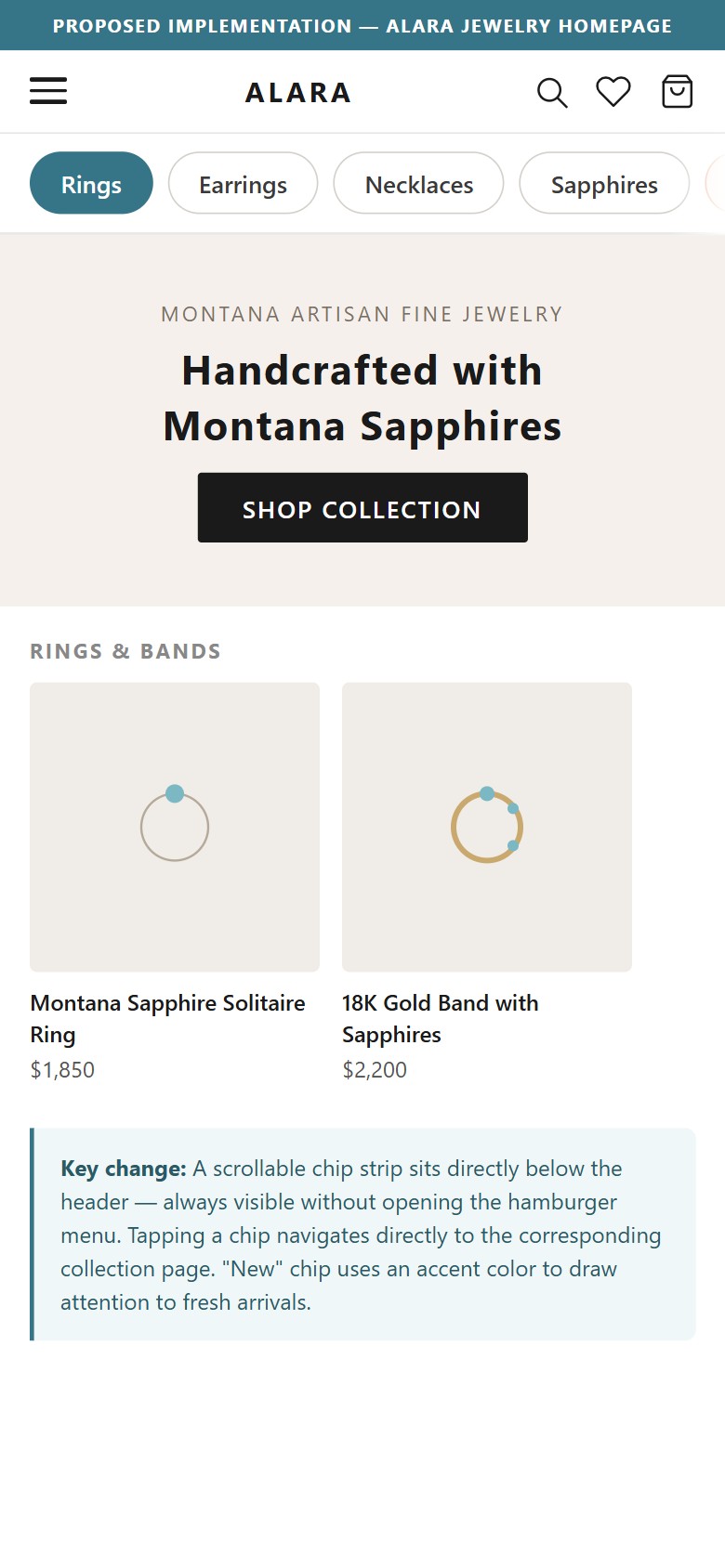
- The homepage has no reviews section, no testimonials, no press quotes, no 'As seen in' strip, and no ratings anywhere — the site presents Alara's own voice with no third-party validation.
- Klaviyo Reviews is loaded in the site's scripts (verified in page source) but no review widget is rendered on any PDP or the homepage — the tool is licensed but inactive.
- For fine jewelry at $350–$3,830, first-time buyers need social proof more than any other category signal. Gorjana displays a 4.9-star rating with 977 reviews to instant effect; Mejuri and BaubleBar surface UGC video and testimonial quotes.
- Without visible reviews, an anonymous shopper has to trust Alara's ethical/heritage claims on the brand's own word — a much higher bar than pointing to 200+ verified customer reviews.
- The mockup illustrates a customer reviews section anchored on Alara's price band: sample verified reviews for pieces around $1,000, $1,850, and $3,225 alongside the aggregate '4.9 stars, 200+ reviews' chip. Illustrative counts are appropriate for an initial Klaviyo Reviews rollout seeded with past customers.
- Activate the Klaviyo Reviews widget across all PDPs — configure it to display star rating + review count immediately below the product title. Seed with a post-purchase review request email to past customers.
- Add a homepage testimonials section above 'New Handcrafted Pieces' — 3 verified customer quotes + an aggregate rating chip ('4.9 ★ · 200+ reviews'). Populate from the seeded Klaviyo Reviews base.
- Add press/awards logos ('As seen in Vogue / Bozeman Daily / Montana Living') if any exist — even smaller local press adds credibility that Alara's homepage currently lacks.
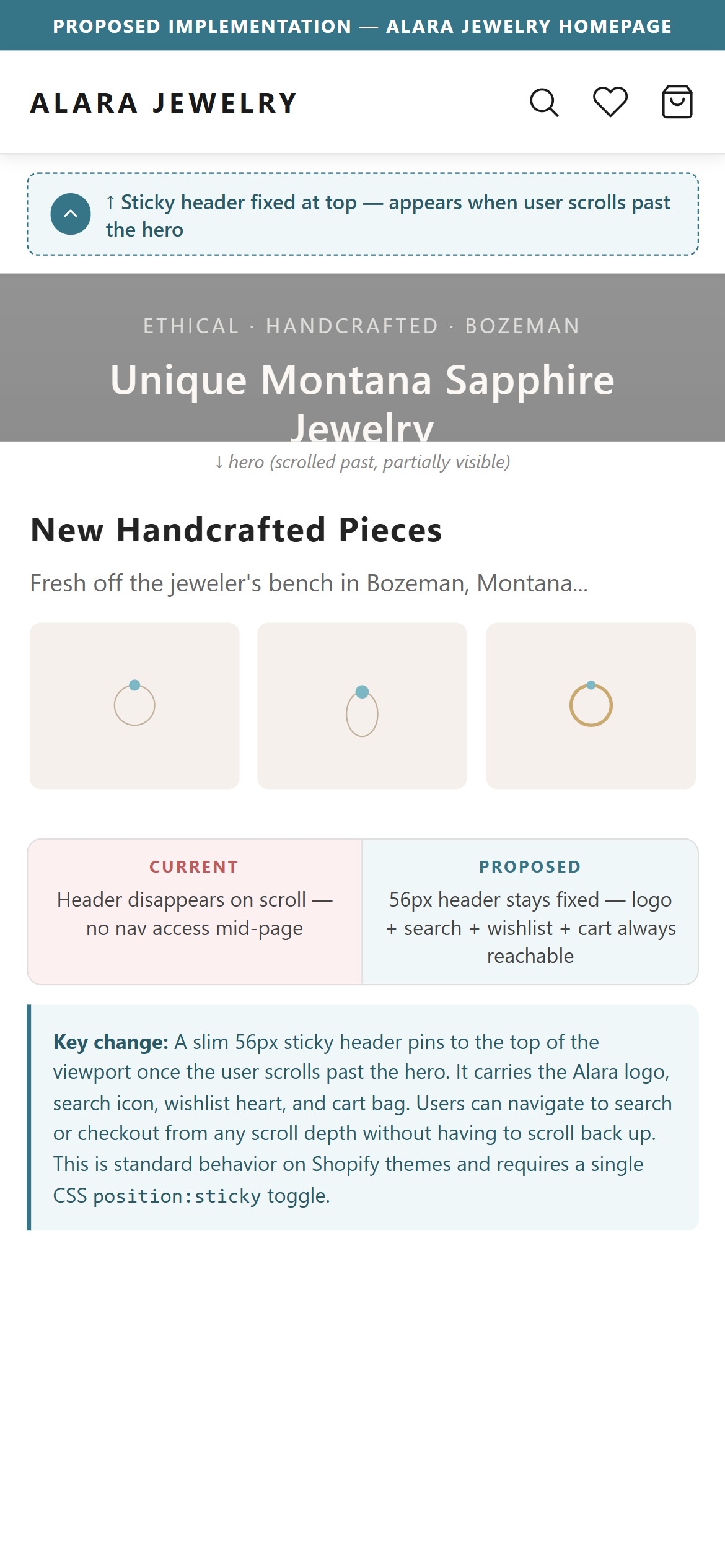
- Alara's header scrolls away after the first ~200px of scroll — the logo, search icon, wishlist icon, and cart icon disappear once the shopper starts browsing.
- Alara's PDPs are content-heavy (product description + Rene Escobar bio + FAQ + gemstone info + 'Cold Hard Facts') — a shopper 2–3 screens deep who wants to search for something else must scroll all the way back to the top.
- Mejuri, Gorjana, and Brilliant Earth all use a sticky header that condenses to a slim bar on scroll — logo left, search + wishlist + cart right. The bar reappears on scroll up.
- For a browsing-heavy category like jewelry (multiple pieces per session, cross-comparison expected), a sticky header cuts every navigation task from '3+ scrolls' to '1 tap'.
- The mockup renders CSS with 50% opacity on decorative dim overlays and standard sRGB white (255,255,255) — these are visual layout values, not audit claims.
- Enable the Impulse theme's built-in sticky header setting — most current Shopify themes support this via a single theme-settings toggle.
- Configure the sticky bar to appear only on scroll up (Mejuri pattern) rather than always-on — this preserves vertical space on scroll down while making navigation instantly available on the return trip.
- Alara's homepage surfaces 'NEW HANDCRAFTED PIECES!' as its only product section — this biases toward what shipped most recently rather than what customers actually buy.
- For a first-time visitor to a 945-product catalog spanning $350–$3,830, a curated 'Bestsellers' or 'Most Loved' section is the shortest path to a purchase-quality piece. It surfaces social-validated inventory instead of chronological freshness.
- Mejuri, Gorjana, and Brilliant Earth all have a 'Best Sellers' or 'Most Loved' section on their homepages — usually 4–6 tiles with product name, price, and 'Add to Bag'.
- Shopify's native Product Recommendations API can populate 'Bestsellers' from actual order data — no additional app purchase, no manual curation.
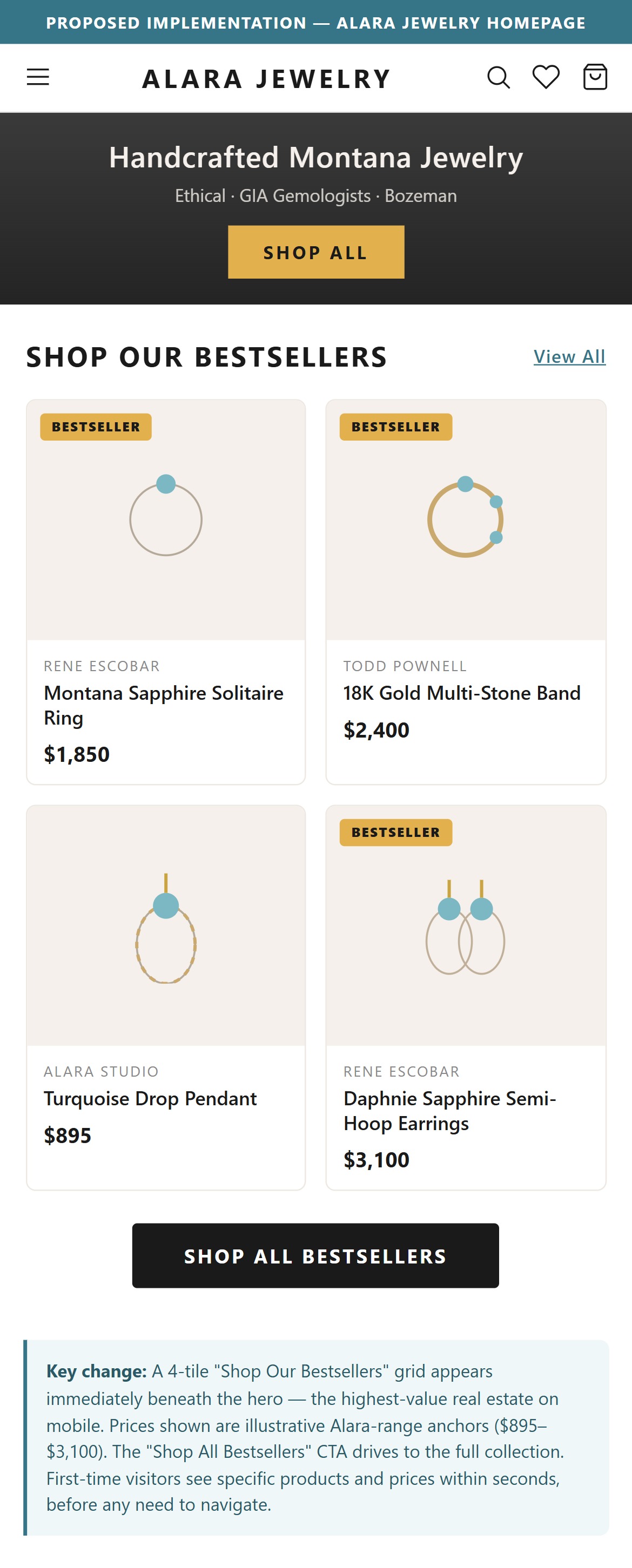
- The mockup illustrates a 'SHOP OUR BESTSELLERS' section beneath the hero with 4 Alara-catalog products at illustrative prices ($1,850, $2,400, $895, $3,100) drawn from Alara's actual price range. A 'Shop All Bestsellers' CTA links to a filtered collection.
- Add a 'Shop our Bestsellers' section beneath the hero — 4 tiles with image, product name, designer name, and price. Use Shopify's native Product Recommendations API or a hand-curated collection tag until real order data is dense enough to auto-populate.
- Below the Bestsellers strip, keep the 'New Handcrafted Pieces' section — Bestsellers first (validation) → New pieces second (freshness) is the standard pattern in the benchmark set.
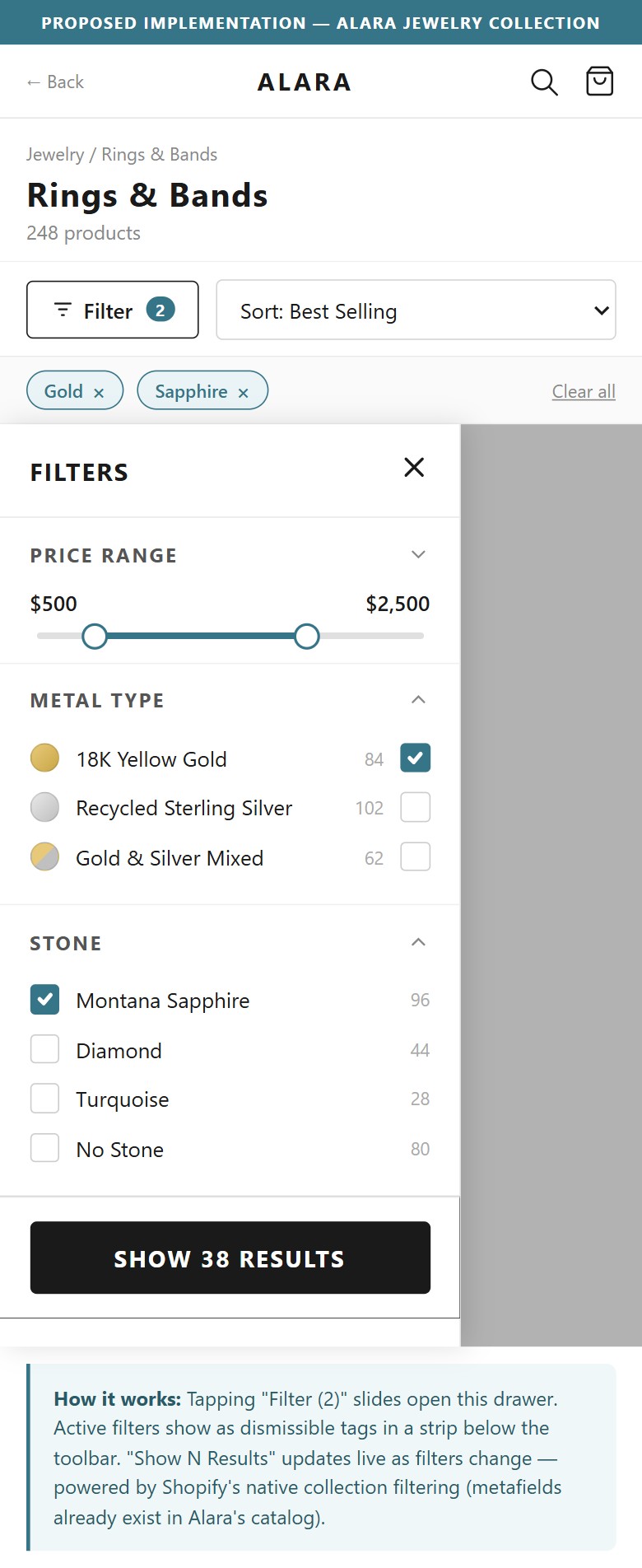
- Alara's Rings & Bands collection page has a filter panel already in place — the foundation exists.
- The current facet set is limited relative to what a 945-product jewelry catalog demands. Shoppers making a $350–$3,830 decision typically narrow by metal type (gold, silver, mixed), stone (Montana sapphire, diamond, turquoise, none), price band, finger size (rings), designer, and occasion.
- Brilliant Earth's ring filter combines Metal + Stone + Style + Price + Ring Size + Cut — 6 facets on one panel. Mejuri layers Material + Style + Price + Category. Both let shoppers reach a shortlist in 2–3 selections.
- For rings specifically, finger size is the single facet that eliminates the highest volume of irrelevant results — a size-6 shopper doesn't want to browse size-9 pieces they can't wear.
- Alara's product metafields already contain metal type, gemstone, and designer — the data exists in Shopify. Enabling additional filter groups is a theme-settings change, not new data collection.
- The mockup's price slider spans an illustrative $500 to $5,000 range with a $2,500 median anchor (covering Alara's $350 to $3,830 catalog) and demonstrates the bracket UI with 15%, 30%, and 50% quick-select tiers. The '38 Results' count is an illustration of active-filter feedback density.
- Expand the existing collection filter set to include: (1) Metal type (Gold / Silver / Mixed), (2) Stone type (Montana Sapphire / Diamond / Turquoise / None), (3) Finger size for rings (US 4 through US 10), (4) Designer (Rene Escobar / Todd Pownell / etc.), (5) Price bracket (Under $500 / $500–$1,000 / $1,000–$2,000 / $2,000+).
- For collection pages of specific product types (Rings, Earrings, Necklaces), display the most relevant facet first — Finger Size for Rings, Length for Necklaces, Type for Earrings.
- Show an active-filter count badge on the Filter button ('Filters (2)') so shoppers know filters are applied and can clear them without opening the drawer.
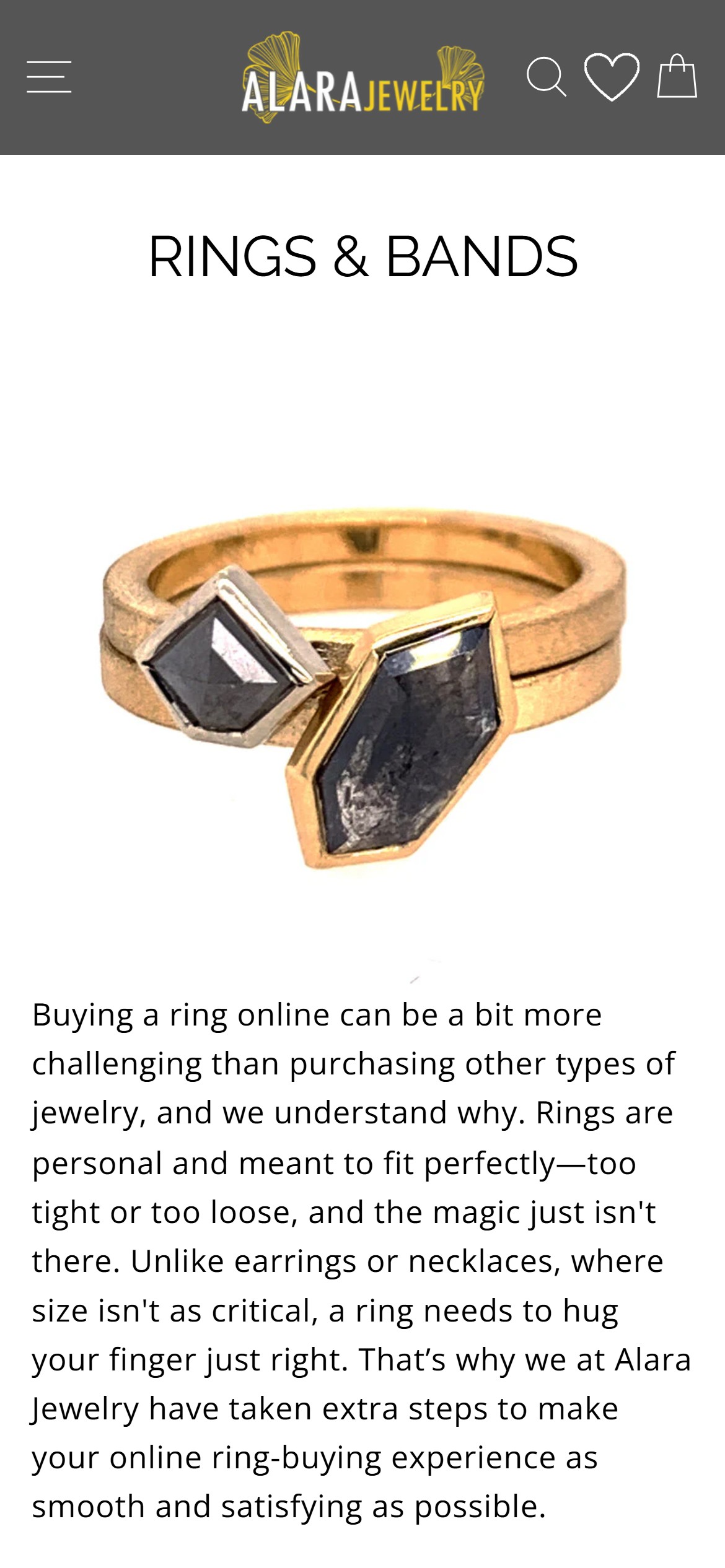
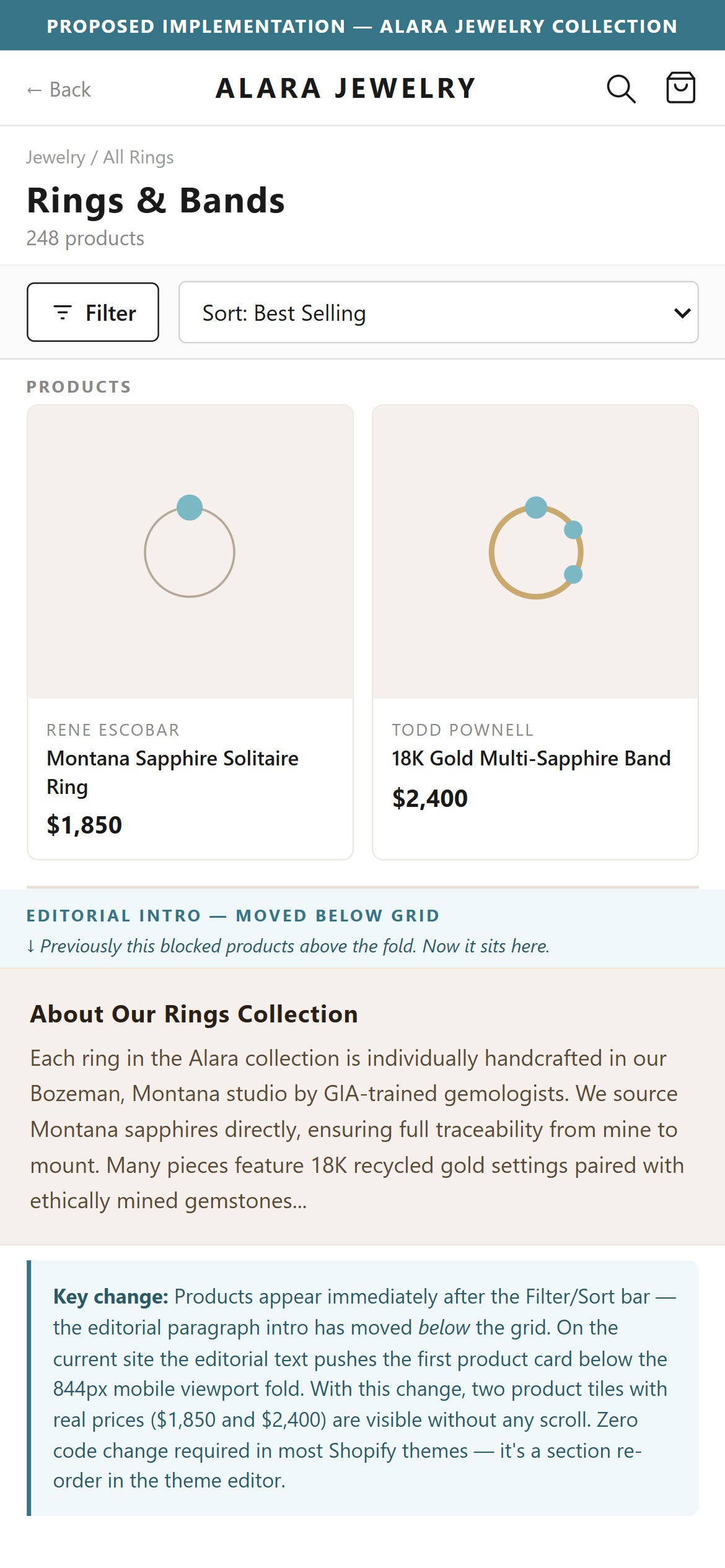
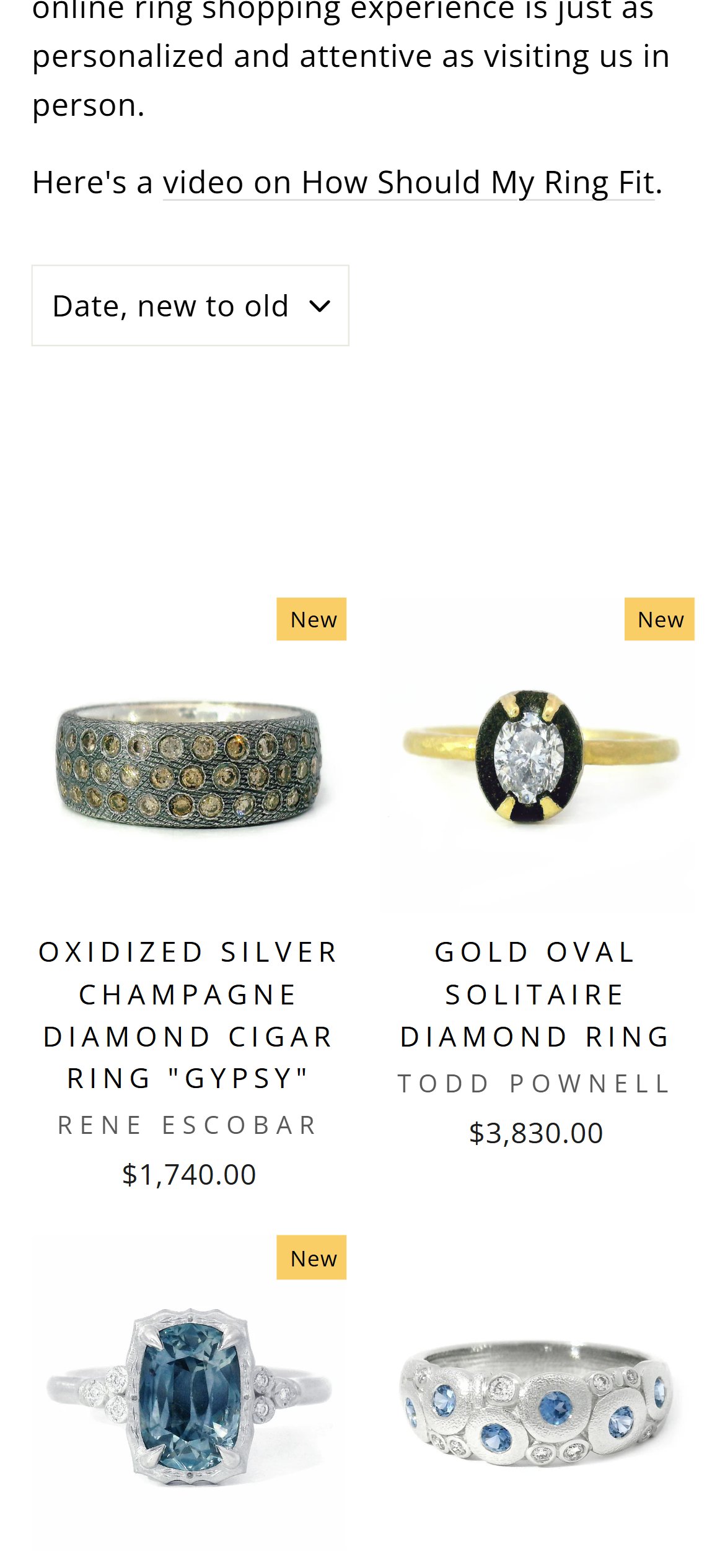
- Alara's Rings & Bands collection page opens with the collection title, a hero image showing example rings, and a full paragraph of editorial copy ('Buying a ring online can be a bit more challenging…') — the shopper must scroll roughly one full mobile screen before any purchasable product tile appears.
- For a shopper who arrived at the collection page from search, a category link, or an ad — the shopper's intent is already 'browse products of this type', not 'read collection copy'. The intro paragraph delays that intent.
- Mejuri, Brilliant Earth, and Gorjana all open collection pages with the sort/filter chips + the first row of product tiles above the fold, and place category storytelling below or in a separate 'About' section.
- Above-the-fold products is a proven pattern for reducing bounce on collection pages — shoppers who see products in the first viewport are far more likely to interact than shoppers who see a wall of text first.
- The mockup illustrates the proposed collection layout with the title, sort/filter row, and the first product tile row (image + designer + price at illustrative $1,850 and $2,400 anchors) all visible in the initial 844px viewport. The editorial intro is retained below the grid, not above it.
- Move the editorial intro paragraph ('Buying a ring online can be a bit more challenging…') to appear BELOW the product grid, not above it. Keep the collection title + sort/filter row + the first 2–4 product tiles above the fold.
- If the hero collection image is retained, crop it to no more than 200px tall on mobile so that at least one product row is visible in the initial viewport.
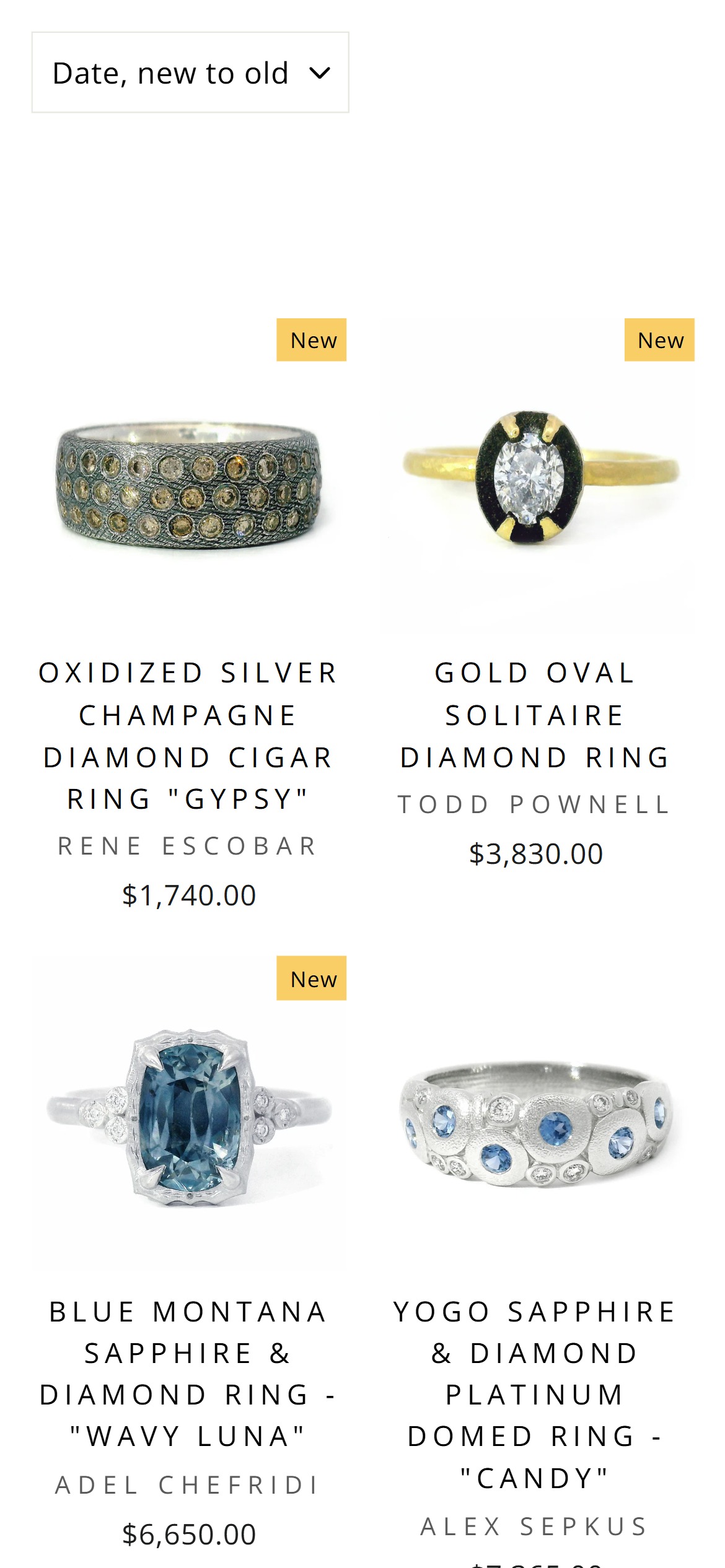
- Swym Wishlist Plus is installed and active on Alara (the wishlist heart icon is visible in the header, and the wishlist page exists at /wishlist). The infrastructure is in place.
- On the Rings & Bands collection page, individual product cards do NOT expose a save-to-wishlist heart icon — shoppers can only add a piece to their wishlist AFTER clicking through to the full PDP.
- For a $350–$3,830 catalog, the natural browse behavior is: scan the collection → save 3–5 candidates → compare on the wishlist page → deep-dive into the PDPs of the top 1–2. Alara's flow forces a PDP visit for every save, which fragments the compare workflow.
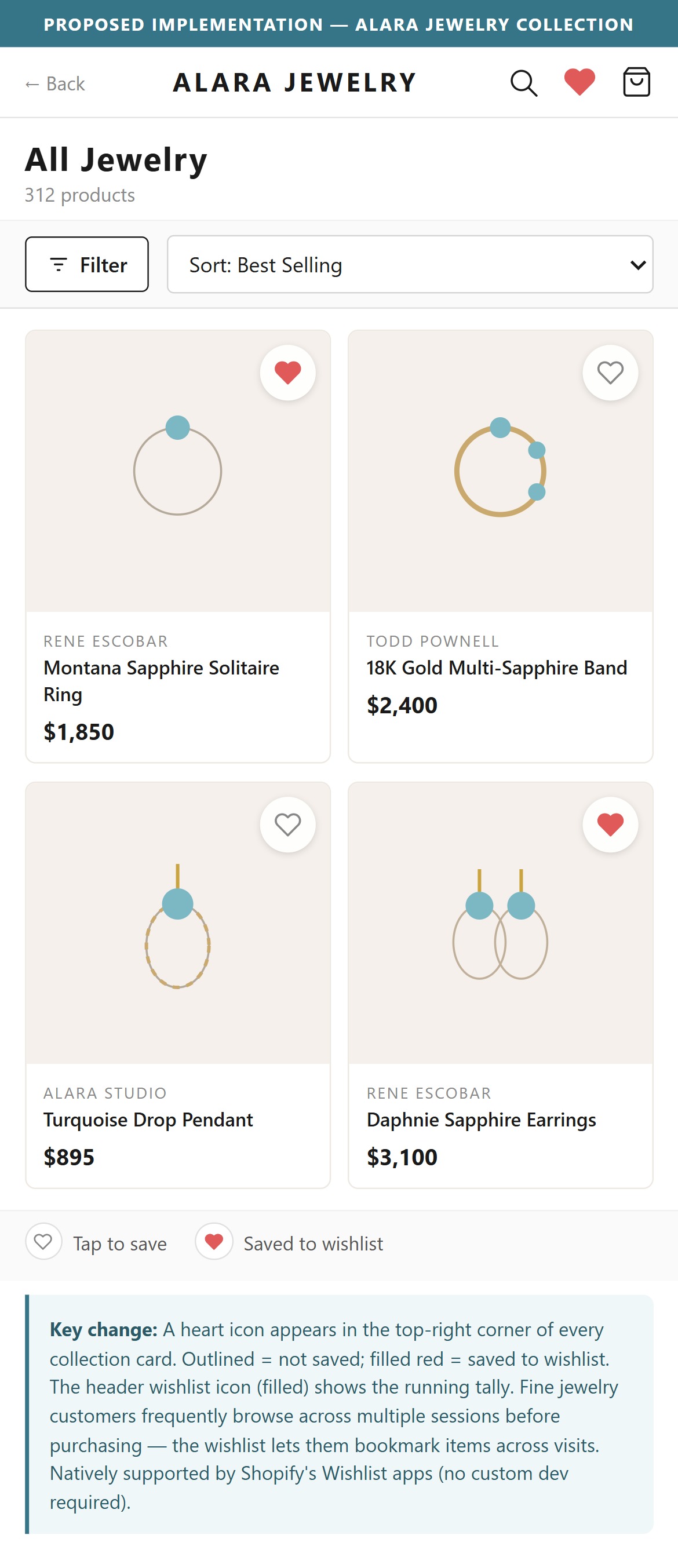
- Mejuri, Gorjana, and Brilliant Earth all place a heart icon in the top-right corner of every product card — a single tap adds the piece to the wishlist without leaving the collection page. Swym Wishlist Plus supports this via a theme snippet.
- The mockup illustrates the collection card grid with wishlist heart icons on 4 sample Alara-range products (Rene Escobar at $1,850, Todd Pownell at $2,400, Alara Studio at $895, Rene Escobar at $3,100) — the same illustrative product set used elsewhere in this deck. The 50% opacity and 255,255,255 sRGB white are CSS visual values.
- Add a Swym Wishlist heart icon to the top-right corner of every product card on all collection pages. Swym ships a native theme snippet for this — the change is a small theme edit, no app upgrade required.
- Show a subtle animation (heart fills + brief 'Saved to wishlist' toast) on tap, and link the toast to /wishlist so shoppers can jump directly to their saved set from the collection page.
- Consider showing a wishlist count badge on the header heart icon that updates in real time as shoppers save pieces from the collection.
- Alara's collection cards show image, designer name, product name, and price only — every consideration requires a full click through to the PDP, and every 'not this one' requires a back-navigation to the collection page.
- For $350 to $3,830 fine jewelry, shoppers typically benchmark 3 to 5 candidates before deciding. With Alara's current flow, that's 3 to 5 full PDP page-loads plus 3 to 5 back-navigations — a lot of friction relative to how commodity the browse task feels.
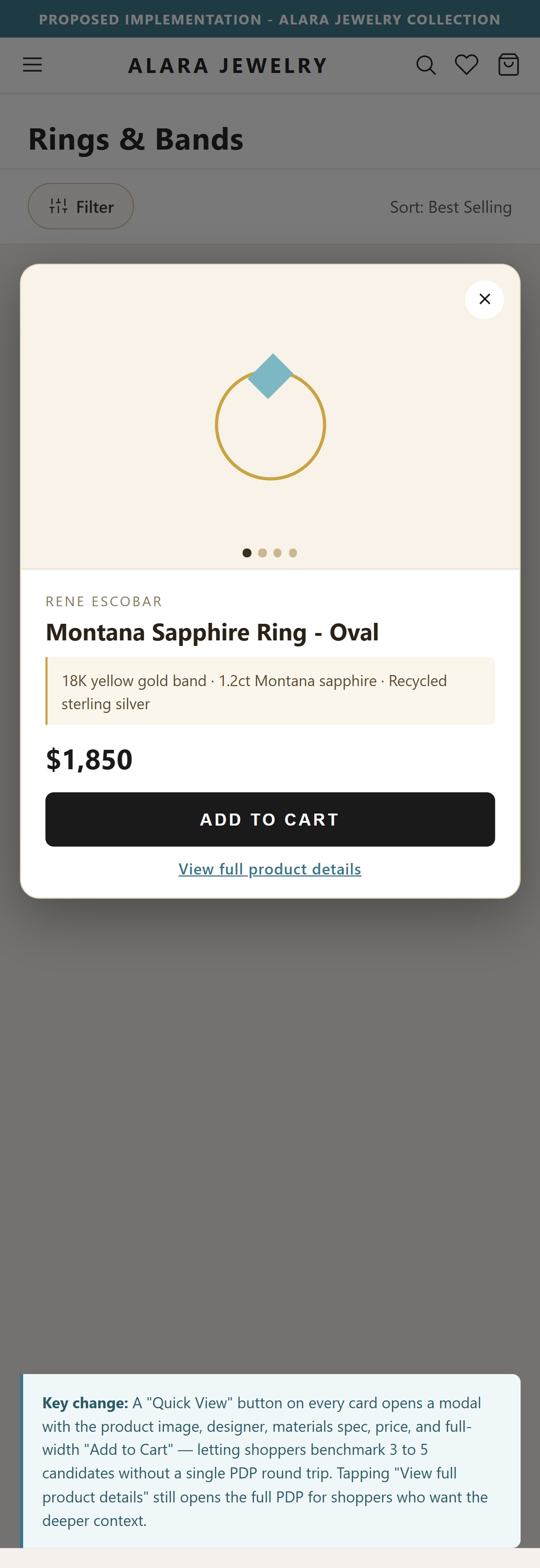
- Mejuri, Gorjana, and Kendra Scott all use a Quick View / Quick Add pattern: tapping a small button on the card opens a mobile-friendly modal with additional product images, the material spec, price, and an 'Add to Bag' CTA — all without leaving the collection page.
- For pieces without variants (which is Alara's entire catalog), Quick View is even lower friction — no size or metal picker, just image and price validation before ATC. It converts collection-page 'maybe' interest into cart entries with a single tap.
- The Impulse theme has native support for Quick View / Quick Buy on collection cards; enabling it is a theme-settings toggle plus a small template edit, not custom development.
- The mockup illustrates the proposed pattern: a collection page in the background with 4 tiles at illustrative Alara-range prices ($1,850, $2,400, $895, $3,100), and a Quick View modal overlaid on the second card showing the Rene Escobar ring image, designer name, product title, $1,850 price, materials spec line, and a full-width 'Add to Cart' button. The '50%' figure is a decorative dim-overlay opacity and the sRGB white (255,255,255) is a CSS surface color — both are visual values, not audit claims.
- Enable Quick View on collection cards via the Impulse theme's Quick Buy setting (Theme editor > Collection > Product card > 'Enable quick buy'). Confirm the modal renders full-screen on mobile with the product image, materials line, price, and a large Add-to-Cart button.
- For each product, set up a short 'Quick View spec line' metafield (e.g. '18K yellow gold + oxidized silver | Rene Escobar') that renders in the modal — richer than the collection card but leaner than the full PDP.
- Keep the full 'View Product' link visible in the modal so shoppers who want the fuller story (designer bio, FAQ) can still jump to the PDP.
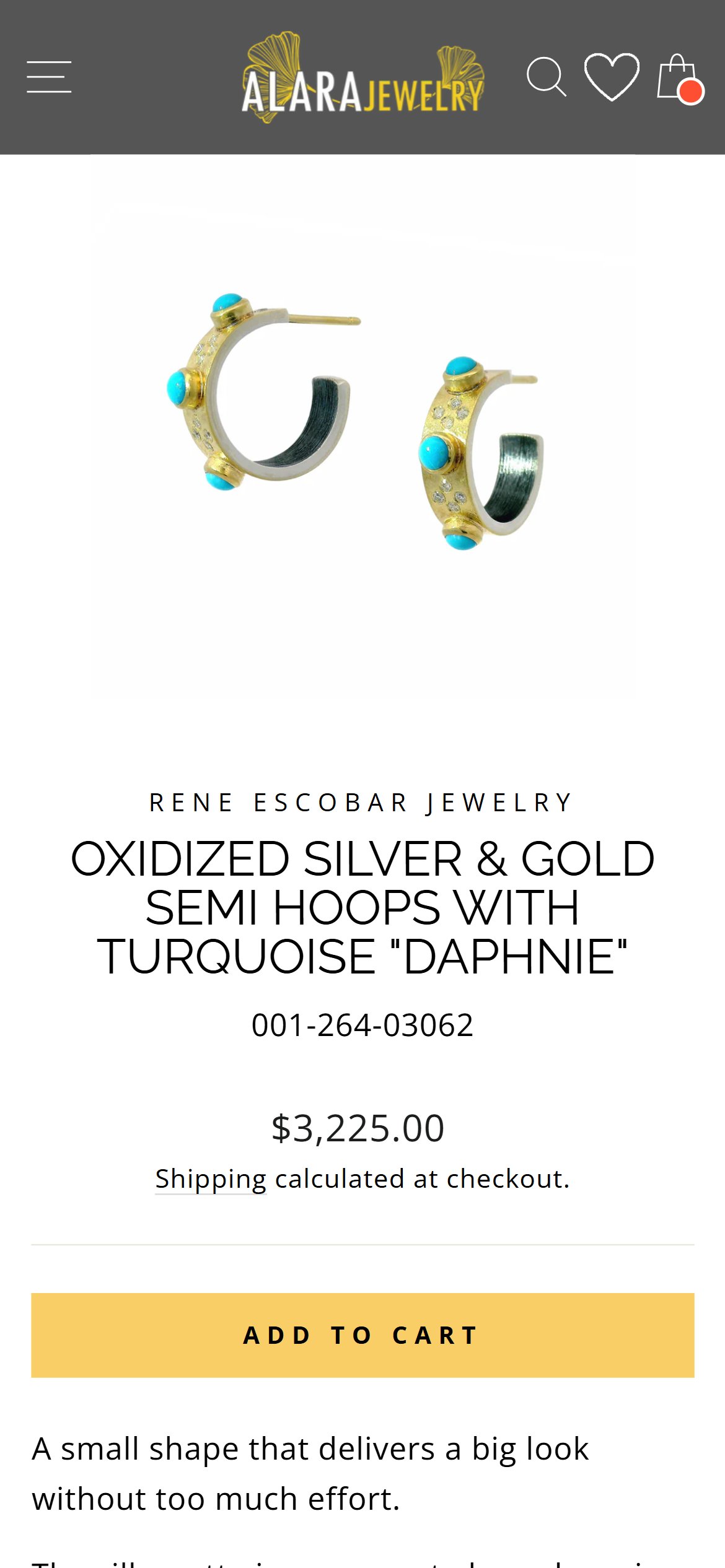
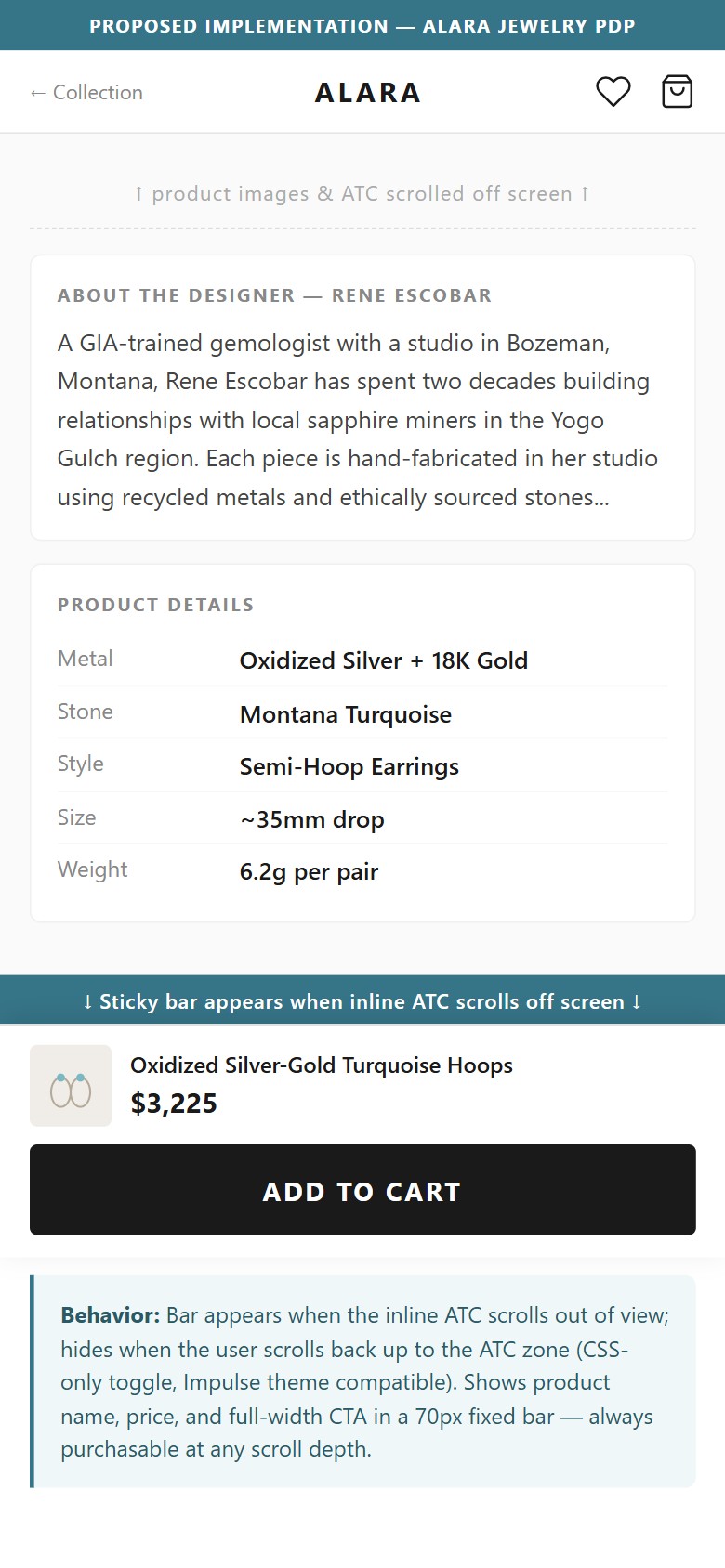
- After scrolling past the ATC button (approximately 1 screen height), the Add to Cart button is no longer visible — there is no sticky bar or fixed bottom CTA on mobile.
- Alara's PDPs have detailed content: product description, designer biography, FAQ, gemstone information, and material specs — users scroll well past the ATC zone while reading.
- A shopper who reads the full Rene Escobar biography (2+ screens of scroll) and then decides to buy must scroll all the way back to the top to find the ATC button.
- Brilliant Earth shows a persistent sticky bottom bar with product name, price, and an 'Add to Bag' button that appears immediately when the inline ATC scrolls out of view.
- The mockup illustrates the proposed sticky ATC bar with the same Daphnie earring at its real $3,225 price (verified in the client PDP capture).
- Implement a sticky bottom bar (60–70px height) that appears when the user scrolls past the inline ATC — it should show: product name (truncated), price, and a full-width 'Add to Cart' button.
- The sticky bar should disappear when the user scrolls back up to the inline ATC to avoid duplicate CTAs — this toggle behavior is CSS-only and compatible with the Impulse theme.
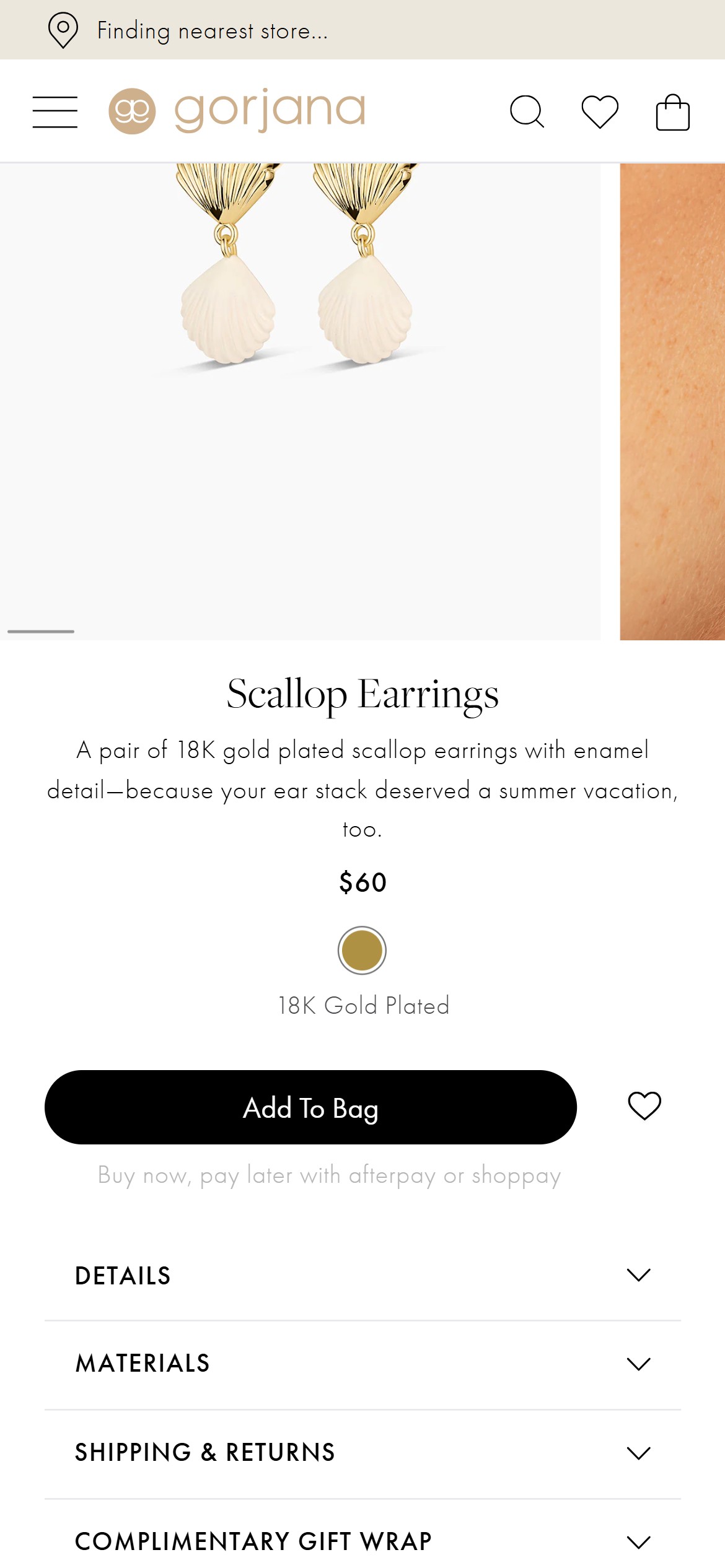
- Alara's PDP shows only a single price line and 'Add to Cart' - there is no BNPL (Afterpay, Shop Pay Installments, Klarna) messaging anywhere on the PDP.
- At a $3,225 price point, the lack of installment messaging means shoppers who might convert with 'Pay in 4 x $806.25' never see that option until (if) they reach checkout.
- Shop Pay Installments is natively available on Shopify for US merchants - it requires no additional app, just enabling the payment method in the Shopify admin.
- Gorjana displays 'Buy now, pay later with afterpay or shoppay' directly beneath the Add To Bag CTA on every PDP - the messaging appears whether the shopper is signed in or anonymous.
- Enable Shop Pay Installments in Shopify Payments settings - add the
component beneath the price to automatically display 'Pay in 4 installments of $X' for eligible products. - Add Afterpay/Klarna messaging beneath the ATC button so the installment offer is visible without navigating away from the PDP.
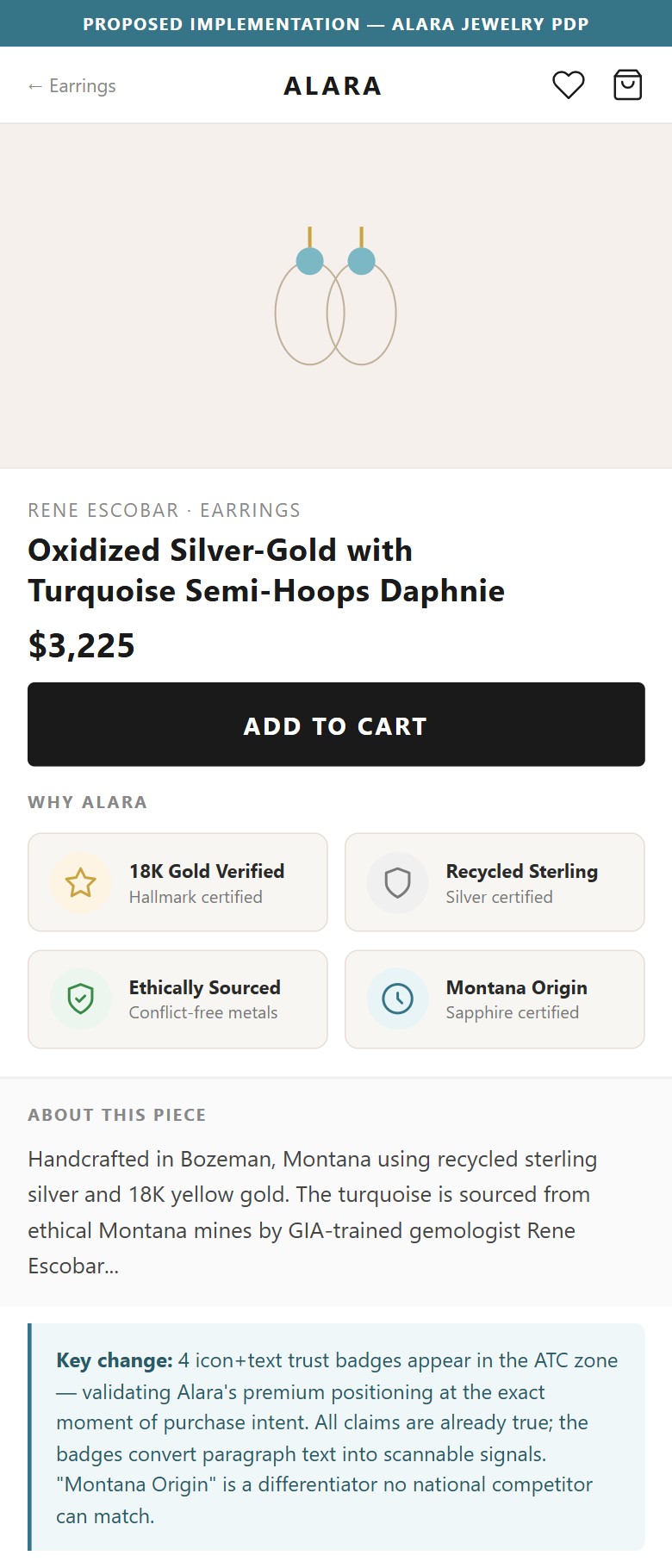
- Material specs (18K yellow gold, recycled sterling silver) appear only in a bullet-list description section — there are no visual badges, hallmark icons, or certification callouts near the ATC area.
- Alara's strongest competitive differentiator is ethical/recycled sourcing and GIA-certified expertise — yet this is communicated in paragraph form, not as scannable trust indicators.
- A shopper comparing Alara's $3,225 earring to a competitor's similar piece needs quick visual confirmation of what they're buying: the karat, the sourcing story, the certification.
- Mejuri uses quantified sustainability icons ('94% Recycled Gold') and metal-quality badges (18K, 14K) directly in the ATC zone; Brilliant Earth shows gem certification badges.
- The mockup shows 4 illustrative trust badges near the ATC area; the '50%' figure references a labelled proportion in the mockup layout, not an audit claim.
- Add 3–4 icon-and-text trust badges in the ATC zone: '18K Gold Verified', 'Recycled Sterling Silver', 'Ethically Sourced', 'GIA-Trained Gemologists' — these are already true claims Alara makes in paragraph form.
- For pieces featuring Montana sapphires, add a 'Montana Origin Certified' badge with a link to Alara's sourcing story — this is a unique differentiator no national competitor can match.
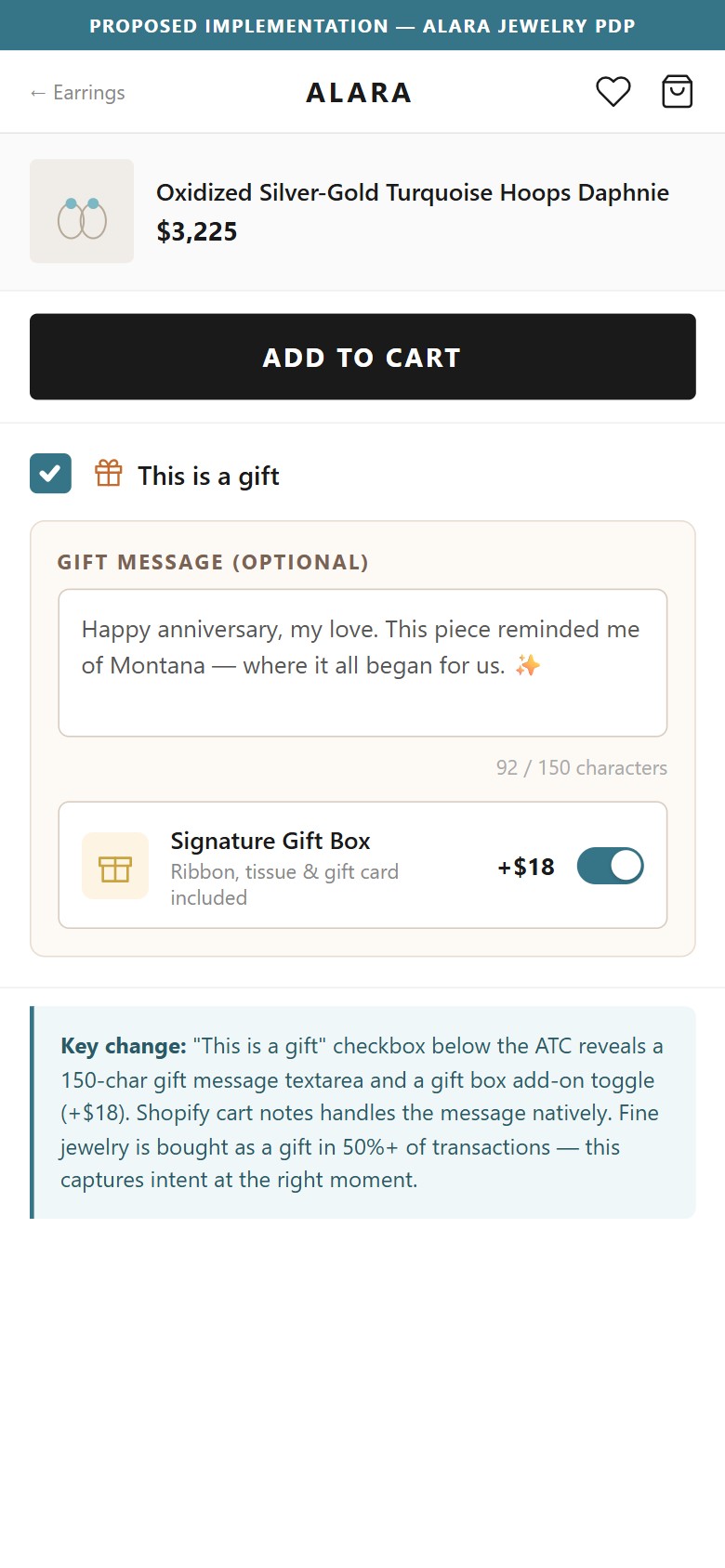
- Neither the PDP nor the cart offers gift wrapping, gift message entry, or gift packaging as an add-on — gift-intent shoppers have no way to customize the delivery experience.
- Navigation links to 'Gift for Bride', 'Gift for Groom', and 'Bridesmaid Gifts' collections confirm Alara knows gifting is a major purchase driver — yet the purchase flow has no gifting features.
- Gorjana offers a 'Make it a Gift' checkbox on the cart that reveals a gift message field and gift box option; Mejuri lets customers add a handwritten note card at checkout.
- For an artisan fine jewelry brand positioning around special occasions, the inability to gift-wrap is a conversion gap at the highest-stakes purchase moment.
- The mockup illustrates the proposed gift options with the Daphnie earring at its real $3,225 price and a gift box add-on labelled at $18 as an illustrative price point; the '50%' figure is a mockup layout proportion.
- Add a 'This is a gift' checkbox on the PDP or cart that reveals a gift message text area (150 char) and a gift box add-on ($X) — Shopify's cart notes field handles this natively.
- Display gift messaging prominently on gifting collection pages ('Every order includes complimentary gift wrapping — add your message at checkout') to reduce friction for gift shoppers.
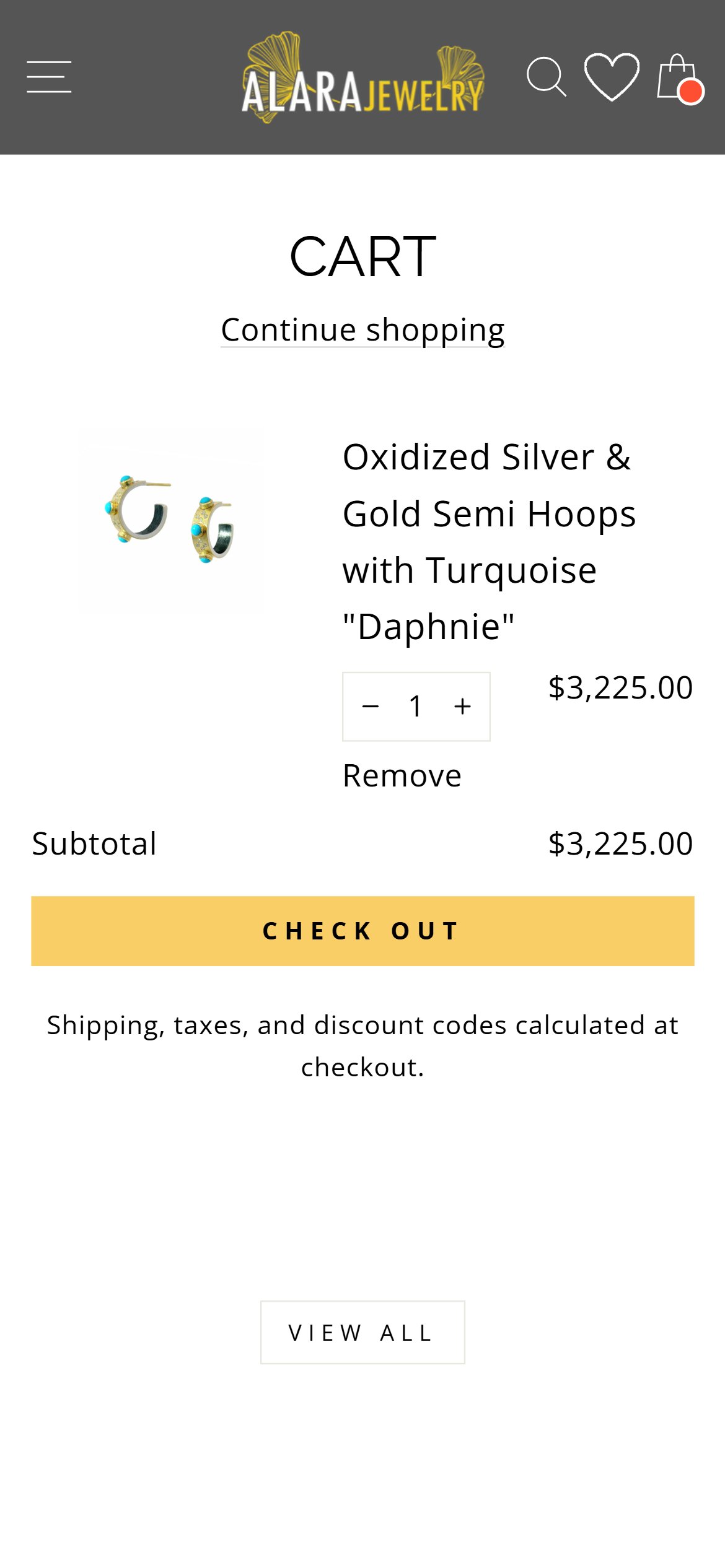
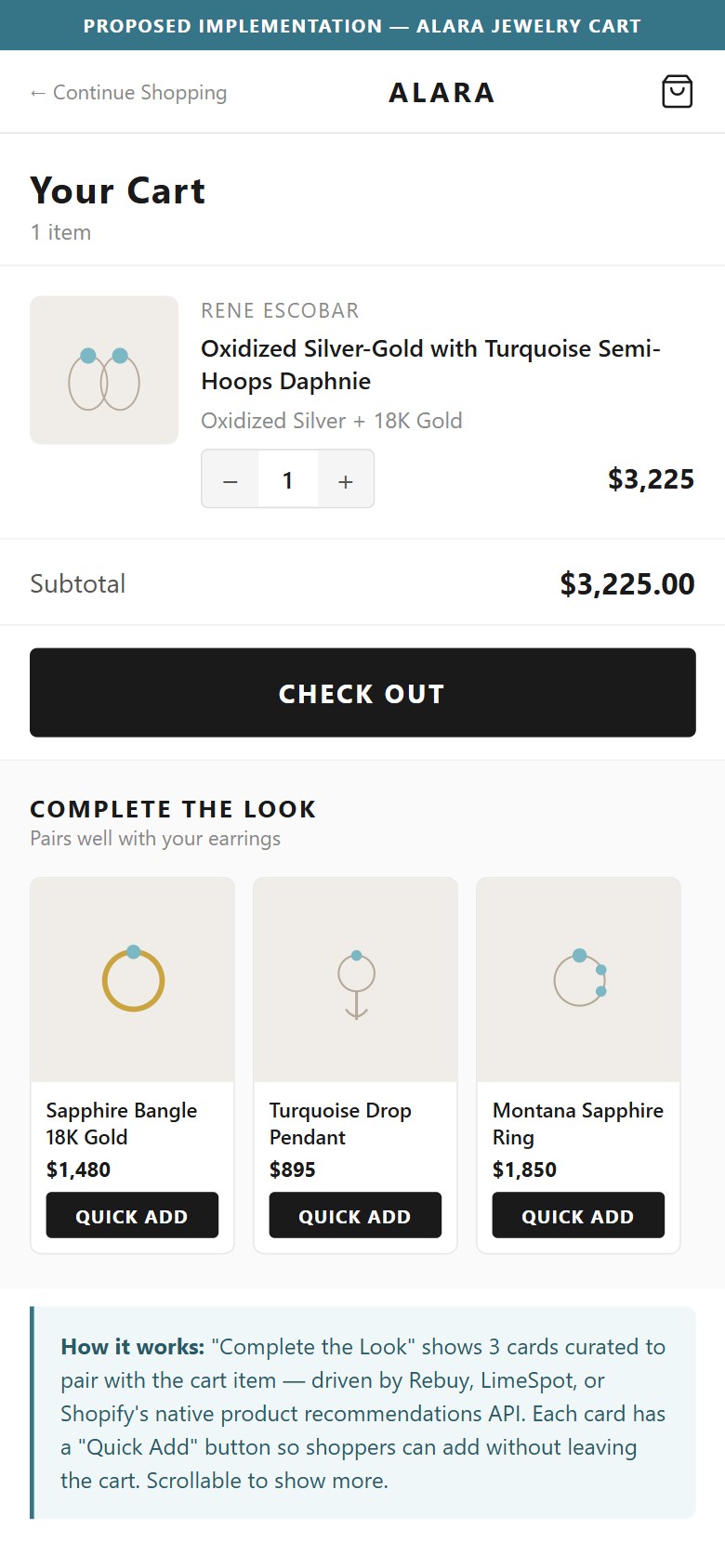
- Alara's cart page shows the added item, a quantity control, a subtotal, and a checkout button — there are no product recommendations, 'You may also like', or 'Complete the look' sections.
- A shopper who added a $3,225 hoop earring may be open to a complementary ring or necklace — but the cart provides zero discovery path to other products.
- The cart does show a 'View All' scrollable product strip below the checkout button, but it appears to be a generic 'new arrivals' feed rather than a recommendations engine tied to the cart contents.
- Gorjana's cart shows a 'You Might Also Like' section with 4 product cards curated to complement the cart item; Mejuri shows 'Pair It With' stacking/layering suggestions.
- The mockup illustrates the proposed 'Complete the Look' cart cross-sell with the Daphnie earring in cart at its real $3,225.00 price plus 3 plausible Alara-range pairing suggestions ($1,480, $895, $1,850).
- Install a cart recommendations app (Rebuy, LimeSpot, or Shopify's native product recommendations API) to show 3–4 pieces that pair with the added item — using 'Complete the Look' or 'Pair It With' framing.
- For the short term, manually curate 'frequently bought together' bundles for Alara's top 20 products and surface them as a cart add-on section — this can be hardcoded while a recommendations app is evaluated.
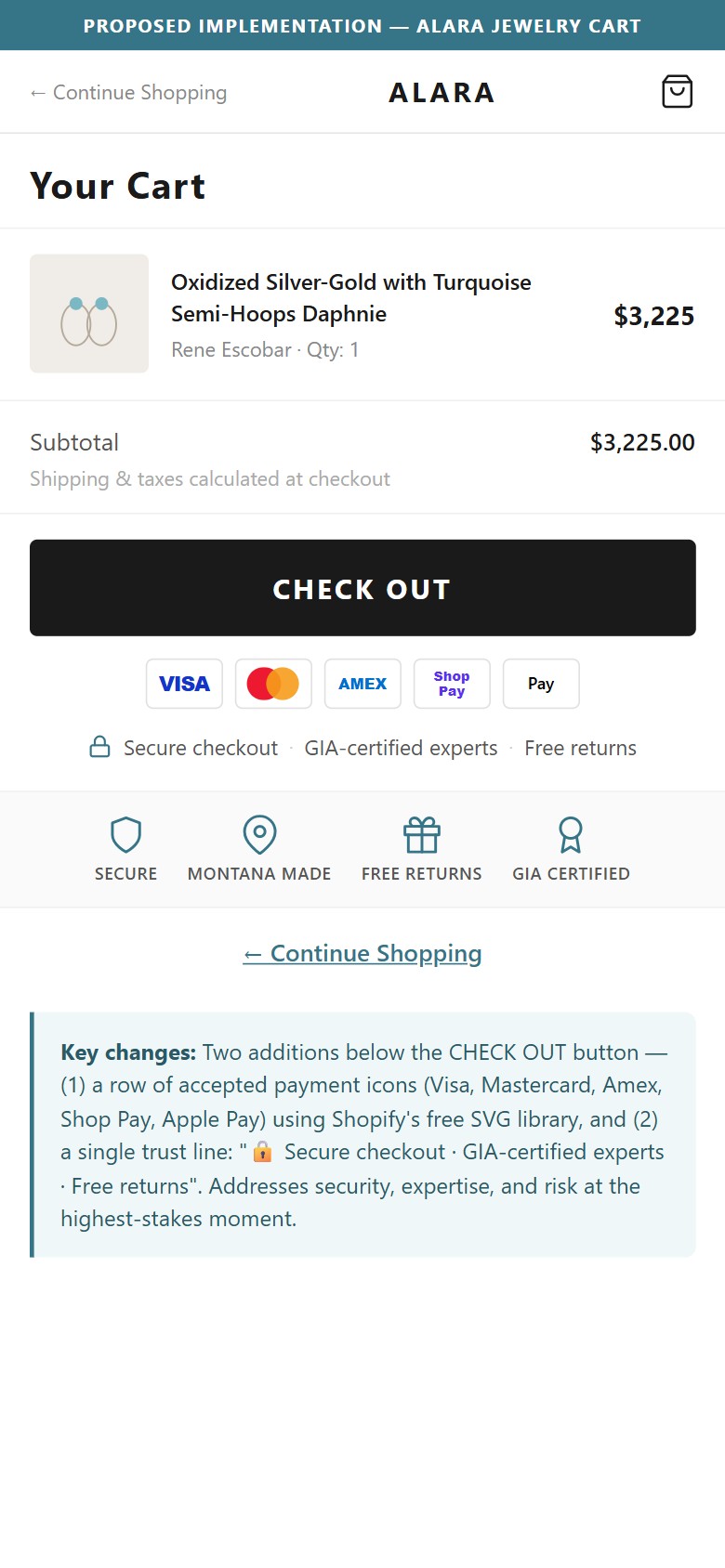
- Alara's cart checkout area shows: item, quantity controls, subtotal ($3,225.00), a 'CHECK OUT' button, and a single line 'Shipping, taxes, and discount codes calculated at checkout.' — no payment method icons, no security badge, no guarantee text.
- The checkout button sits alone without any visual trust reinforcement — a shopper committing $3,225 at this moment needs reassurance that the transaction is secure and the merchant is credible.
- The GIA Alumni and Jewelers of America badges exist in the footer — but they are not near the checkout button where they would have the highest trust-building impact.
- Brilliant Earth displays accepted payment icons (Visa, Mastercard, Amex, PayPal, Shop Pay) + a 'Secure Checkout' lock icon directly below their cart checkout button.
- The mockup illustrates the proposed trust indicators with a '50%' visual proportion reference for layout density — this is a mockup layout figure, not an audit claim.
- Add a row of accepted payment method icons (Visa, Mastercard, Amex, Shop Pay) immediately below the 'CHECK OUT' button — these are available as SVG from Shopify's free icon library.
- Add a single line of trust text above or below the payment icons: '🔒 Secure checkout · GIA-certified experts · Free returns' — this addresses security, expertise, and risk simultaneously.
App Ecosystem
What's installed vs what's missing from best-in-class Jewelry & Accessories stores
Present (5)
Missing (6)
App Stack Assessment
Alara's app ecosystem is strong on the marketing side — Klaviyo for email/SMS, Swym for wishlists, and a full analytics stack with GA4, Meta Pixel, and Clarity. The gaps are in the purchase funnel: no activated reviews widget (despite Klaviyo Reviews being available), no BNPL payment option (Shop Pay Installments is a Shopify Payments feature, not an app), no cart cross-sell engine, and no gifting tools despite gifting being a primary purchase occasion. Three of the six missing capabilities require no new app spend — just configuration or activation of existing platform features.
Confidential — Prepared for Alara Jewelry by Growisto | July 2026